


Why Google Business Profile Is Critically Important for Local Small Businesses
For many small businesses, your Google Business Profile (GBP) -- previously known as Google My Business -- has a strong influence on search engine rankings and is often the first impression customers have, even before they reach your website.
It controls:
- Whether you appear in Google Maps.
- Whether you show up in the local pack (a highly valued block near the top of Google search results, showing a map and three local businesses).
- What people see in your Knowledge Panel (the information box on a search results page that provides a summary of key facts about your business).
- How trustworthy your business looks at a glance.
Think of your GBP like a classic department store window display:
- If it's thoughtfully arranged, complete, and up-to-date, people stop -- look closer -- and step inside.
- If it's incomplete or cluttered, they likely pass on by.
In this guide, you'll learn:
- Why Your Google Business Profile Matters
- Step 1: Claim Your Profile
- Step 1B: No Knowledge Panel Yet?
- Step 2: Complete Core Information
- Step 3: Write a Strong Business Description
- Step 4: Services, Products, Attributes
- Step 5: Photos & Visuals
- Step 6: Reviews (More on Google Reviews)
- Step 7: Ongoing Optimization
- The Big Picture
Step 1: Claim (or Confirm Ownership of) Your Profile
Before optimizing anything, make sure you control the listing.
- Visit Google and search your business name.
- Look for "Own this business?" or "Claim this business."
- Sign in with the Google account you plan to associate with this business.
- Complete verification (postcard, phone, email, or video).
Tip: Use an email tied to the business -- not one you may abandon later.
Step 1B: What If You Don't See a Knowledge Panel Yet?
If you search for your business and don't see a Knowledge Panel -- or don't see an option to claim your listing -- don't panic. This is common for newer businesses, home-based businesses, and service area businesses.
Solution: Create your Google Business Profile manually:
- Go to google.com/business
- Click "Manage now."
- Enter your business name.
- Choose your primary business category.
- Add your service area or address.
- Complete verification when prompted.
Once your profile exists and begins collecting signals (photos, services, reviews, website links), Google will often generate a Knowledge Panel automatically. Think of it like opening a storefront: you need to unlock the door and turn on the lights before customers (and Google) can recognize you.
Step 2: Complete the Core Information (The Foundation)
This is the basic framework Google uses to understand your business.
Business Name
Use your exact, legal business name only. No keywords, no taglines, no locations.
- ✅ "Joe Web Services"
- ❌ "Joe Web Services - Best SEO in Asheville"
Primary Category (Most Important Choice You'll Make)
Your primary category is the strongest ranking signal in your profile. Ask: "If Google could only know one thing about my business, what should it be?"
Examples: Website Designer, Pet Supply Store, Bed & Breakfast, Marketing Consultant
Secondary categories expand your relevance but never override the primary.
Address or Service Area (Choose Carefully)
Brick-and-mortar businesses: show your address. Service area (meaning you travel to customers): hide your address and specify up to 20 service areas (cities, zip codes, or other areas). Consistency matters. Your GBP address should match your website and online directory listings exactly.
Phone Number, Website, Hours, Opening Date
- Use a local phone number.
- Link to your website's home page.
- Set hours for every day.
- Add holiday or special hours when applicable.
- Enter your real opening or founding date.
Step 3: Write a Strong Business Description (750 Characters)
Your description is for clarity and establishing trust, not keyword stuffing. Include:
- What you do
- Who you serve
- Where you operate
- What makes you different
Example: "We're a family-owned website design and SEO agency serving small businesses in Asheville and Western North Carolina. Since 1995, we've helped companies improve visibility, generate leads, and manage their websites easily."

Got Your Hands Full?
If you don't have time to optimize your GBP, the Joe Web team in Asheville can help. Call us today: 828-551-9761
Step 4: Services, Products, and Attributes (Quiet SEO Power)
Services
Select 1 primary category and 8-11 relevant secondary categories. While Google does not specify a maximum number of individual, avoid overwhelming potential customers and diluting your core offerings
Bonus: Hidden Secret for Adding "Services"
(Updated for 2026)
Most business owners stop at the checkboxes. To truly "feed" Google's AI and help it answer customer questions automatically, you need to use the Hidden Description Field.
How to find it:
- Open the Services Editor: Click "Edit Services" on your dashboard.
- Add Custom Services: Scroll to the very bottom of your category and click "+ Add custom service." This is where you can add specialized items like "No Stress CMS" or "All-in-One Website Package."
- The Hidden Step: Once your service is added, click on the name of the service again.
- Add Your Pitch: A sidebar will open with a field for a 300-character description. Write a keyword-rich summary here. Google's AI reads every word of these descriptions to decide if you are the right match for a local search!
Products
If you sell products, include names, descriptions, prices, and images to be shown in product-specific searches.
Attributes
Examples: Family-owned, Veteran-led, Wheelchair accessible, Wi-Fi available. These match the searcher's intent and boost conversions, especially on mobile.
Step 5: Photos & Visuals (Your Digital Window Display)
Google rewards active, visual profiles. Upload:
- Logo
- Cover image ('sticky' or persistent photo)
- Exterior and interior shots
- Team photos
- Products or completed work
Aim for 10+ high-quality images to start. Bonus: When Geotagged, photos tied to your location will reinforce local relevance.
Step 6: Reviews (Boost Visibility, Trust, and Engagement)
Google reviews influence rankings, click-through rates, and customer trust. And while many customers are happy to submit reviews, it often takes a little nudge or reminder. The keys are to:
- Ask happy customers consistently.
- Make it easy for them by providing the direct link (or QR code) to your Google review page.
- Respond to every review (both positive and negative) with appreciation and a sincere commitment to customer satisfaction.
Step 7: Ongoing Optimization (Where Many Businesses Stop Too Soon)
Claiming and completing your Google Business Profile is only the beginning. Google rewards active, consistently maintained profiles.
It may help to think of your GBP like a storefront window -- it needs frequent refreshing.
Here's the simple schedule we recommend:

Daily (2–3 Minutes)
- Check for new reviews and respond promptly
- Monitor messages (if messaging is enabled*) or booking requests
- Watch for public "suggested edits"
*Only enable messaging if you can respond quickly (ideally within 24 hours). Prompt responses build trust with customers and signal to Google that your business is active and responsive.
Weekly (10–15 Minutes)
Google Posts (aka "Updates")
Because standard posts expire after 7 days, posting weekly ensures your profile always displays fresh activity to both visitors and Google.
Use posts to share topics such as:
- Seasonal services
- Promotions or events
- New blog articles
- Recent projects
- FAQs or helpful tips
Repurpose existing content whenever possible. There is no need to reinvent the wheel.
Simple Weekly Google Business Profile Post Template:
- Headline: Grab attention with a much-needed benefit, common problem, or curiosity hook.
- Body: Using the inverted pyramid style of writing, quickly and clearly explain the problem that matters to your audience, your solution, and the expected outcome. When appropriate, mention your city or service area naturally. Finish with a clear call to action.
Don't be intimidated by Google's note suggesting a 1,500-character limit. Most readers are looking for a quick update before deciding whether to learn more. Short, focused posts often perform better.
Monthly (15–20 Minutes)
- Upload 3–5 new photos
- Review services and descriptions
- Confirm hours and contact information
- Scan Insights (found in your Google Analytics > Reports section) for trends in views, calls, and clicks
Regular photo uploads are especially powerful -- Google prioritizes visually active profiles.
Quarterly
- Re-evaluate primary and secondary categories
- Add new custom services (with 300-character descriptions)
- Refresh your cover image if needed
- Review competitor profiles for positioning ideas
Questions & Answers (Updated for 2026)
Previously, businesses were able to manually "seed" GPB with the questions and answers they wanted to display. Now, this section is generated by Google AI and pulls that information from the following 4 primary sources:
- Your 750-character GBP Business Description.
- Detailed Services List: Go to your GBP dashboard under Edit Services. Select the primary and 8-10 secondary services. Then, scroll to the bottom and click 'custom services' to add any not listed above. Finally, write keyword-rich descriptions for each. AI reads every word of these.
- Your Website FAQ Page: Ensure your website has a dedicated FAQ page. Use Schema Markup to tell Google specifically that these are Questions and Answers.
- Your GBP Posts: Especially posts summarizing FAQs.
This means your written content across all sections must be clear, detailed, and keyword-aligned.
With consistent updates in place, the next step is measuring results.
Performance Tracking
Here's where to see how your GBP efforts are working:
- Overview: Total profile views.
- Calls: Number of people who clicked the call button.
- Messages: Any direct chats started.
- Bookings: If you have an online scheduler connected.
- Directions: (Again, less relevant for you, but huge for local shops).
- Website Clicks: How many people visited your site from the profile.
Look for patterns over time, not isolated spikes.
Keywords in GBP
Use product- or service-related keywords naturally in categories, services, products, descriptions, posts, and review responses. Never stuff keywords or append them to your legal business name.
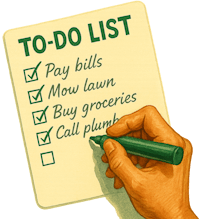
There's A LOT to Remember When Optimizing Your GBP!
To make sure you don't forget anything, follow our step-by-step Google Business Profile Optimization Checklist.
Why This Displays Your Knowledge Panel and Pins You on the Map
When your profile is complete, consistent, actively managed, and clearly categorized, Google gains confidence in your business entity -- triggering:
- Knowledge Panels
- Stronger local visibility
- Higher trust at first glance
Just like a beautifully staged store window, your GBP tells Google, "This business is legitimate, active, and worth showing."
Ready to Make Your Google Business Profile Shine?
Managing a Google Business Profile effectively takes time, a strategy, and ongoing attention. But we can help.
In addition to offering custom website design, development, and marketing solutions, our Joe Web team helps Asheville-area small businesses claim, optimize, and maintain their profiles.
From core information to photos, services, and reviews, we'll optimize your listings -- freeing you up to focus on running your business.
If you want to get the maximum impact from your GBP, contact our online marketing experts in Asheville today.



 EMail:

